


Acorns: Save & Invest Money
4.777.83K Reviews
App Specs
- Version
- 4.207.0
- Updated On
- License
- Free
- Downloads
- 10,000,000+
- Developer
- Acorns
- Categories
- Finance
- Platform
- Android, iOS
Screenshots

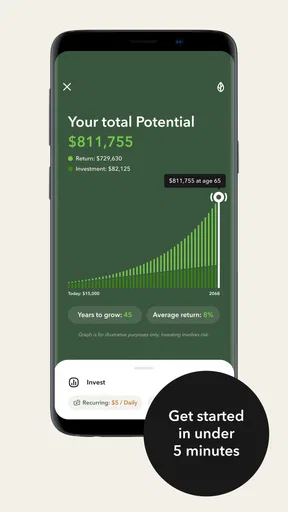
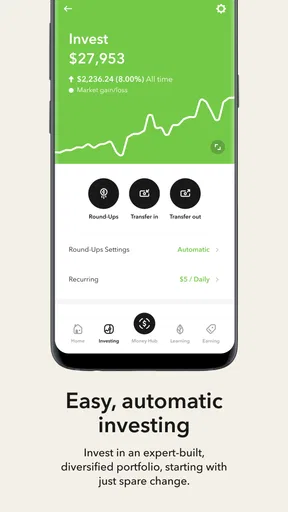
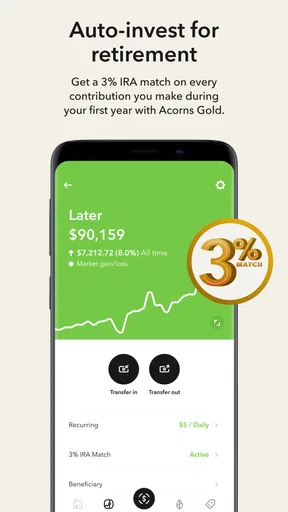
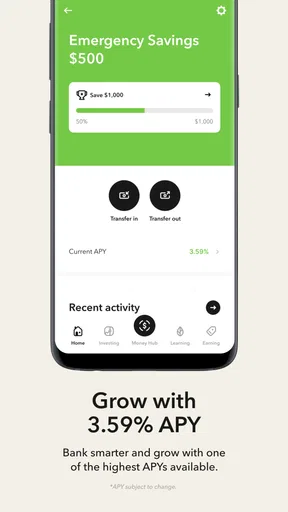
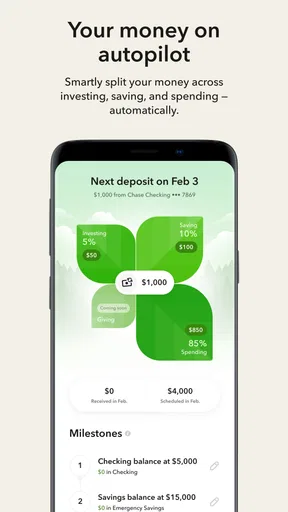


 Analysis by AppCompare
If you’ve ever found yourself staring at your savings account and wondering how you could make it grow, the Acorns: Save & Invest Money app offers one approachable route into investing. I like its basic premise: make investing part of ordinary money habits rather than a separate project that demands constant attention. That convenience is useful, but it doesn’t make investing risk-free or guarantee growth, so it’s worth understanding how the routine fits your budget before turning it on.
Where first-time users can get stuck
Acorns is a finance app from Acorns, built around investing in stocks and exchange-traded funds. The central idea is simple, but the first decisions still matter. Linking a bank account and choosing how to invest require care; a hurried setup can leave you unsure where contributions come from or how much you intend to put in. I’d take a moment to review each choice rather than treating the quick onboarding as a reason to skip the details.
The app is free to download, but that is not the same as saying every way of using an investing service is cost-free. Before committing to a plan or making a deposit, review the current in-app terms and any costs that apply to the account you choose. This is particularly important if you expect to invest only small amounts: charges can have a larger effect on a small balance than on a larger one. I would compare those terms with the amount I realistically plan to contribute, not just with the convenience of automatic investing.
There is also a difference between seeing a balance move and having money ready for an immediate expense. Investments can fluctuate, and a portfolio is not a substitute for an emergency fund held in an accessible savings account. If you’re likely to need the money soon, I would keep that cash separate instead of relying on an investment account to behave like a checking account.
Setup checks that make the routine easier
Before enabling recurring contributions or Round-Ups, I’d check that the linked bank account is the one I use for everyday purchases and that it has enough room for the intended activity. Then I’d look at the funding schedule and confirm that it matches my pay cycle and bill dates. A contribution that seems small in isolation can be awkward if it lands just before rent, a utility bill, or another essential payment.
It helps to decide on a monthly investing limit before making the app part of your routine. Round-Ups may feel almost invisible because each individual amount is small, but the total depends on how often purchases happen. If you use a card for many small transactions, that spare-change flow may add up faster than you expect. I’d start with a pace I can comfortably sustain, check the account after a normal week or two, and adjust only after seeing how it fits my real spending.
Acorns is aimed at U.S. users and its investing accounts are subject to eligibility and account rules, so I would check that the service is available for my situation before building a plan around it. The app is rated for Everyone, but that age label is not a statement that every investing product is appropriate for every person. Anyone making decisions for a child, investing jointly, or dealing with unusual tax circumstances should understand the account structure and rules before proceeding.
Worth Reading Before You Choose

Switching to Android Auto Means Rethinking Your Driving Routine

Google Calendar Makes a Crowded Week Easier to Manage

Baby Panda World Brings Quick Play to Modern Phones, but Its Game Library Feels Busy

ESPN’s Live Game View Makes Following Close Games Easier

QuizzLand Review: A Good Fit for Short Trivia Breaks, Not Every Player

Basketball Stars: Multiplayer Is Fast, but Can It Recover When Matches Go Wrong?
Getting Started with Acorns
Jumping into the world of micro-investing with Acorns is a breeze. The sign-up process is super straightforward. You download the app from your favorite app store, link your bank account, and voilà—you're all set to start rounding up your purchases to the nearest dollar. These tiny amounts might seem trivial, but they’re the secret sauce that fuels your investment portfolio over time.
The Power of Spare Change
Let’s talk about the real magic here: Round-Ups. Every time you buy something, Acorns rounds up your purchase to the nearest dollar and invests the difference. Bought a coffee for $3.75? Acorns will toss $0.25 into your investment account. It’s like a digital piggy bank that’s secretly working to build your wealth.
And if you’re thinking, "I don’t spend enough for this to matter," don’t sweat it. You can manually add extra money or set up recurring investments to supercharge your savings. It’s all about making sure you’re comfortable with how much and how often you’re investing.
Making small contributions work in real life
Here’s a practical way to judge whether Round-Ups suit you: imagine buying groceries, commuting, and picking up lunch during a regular workweek. The individual increments may look forgettable, yet their combined total comes from spending that already happened. That can make investing feel less intimidating, but it also means the feature is not a substitute for reducing spending or setting a deliberate savings target. I’d think of it as a supporting habit, not a shortcut to a particular balance.
One useful approach is to begin with the automatic routine alone, then review whether it feels comfortable before adding manual deposits or recurring investments. That separates the effect of everyday purchases from money you actively choose to commit. If the total feels too high, scaling back is more sensible than letting a background setting create stress. If it feels too low, a planned contribution gives you more control than hoping your shopping pattern generates enough spare change.
This workflow is also a good reason to avoid checking the portfolio after every small purchase. Frequent monitoring can make ordinary market movement feel more significant than it is. I’d review contributions and account activity periodically, while judging investment performance over a longer horizon that matches the goal. The exact interval is personal; the important part is not confusing a short-term change with proof that the approach is succeeding or failing.
Investment Portfolios Made Simple
Now, I know what you’re thinking: "Investing sounds complicated!" Fear not, my friend. Acorns offers a selection of portfolios based on your risk tolerance. Whether you’re conservative and want to keep things safe or feeling adventurous and ready to take on more risk, Acorns has got your back. Their portfolios are crafted by experts, so you’re not left in the dark making wild guesses.
Plus, the app does all the heavy lifting, managing and balancing your investments automatically. You can check in anytime to see how your investments are doing, but rest easy knowing Acorns is hard at work even when you’re not.
How it compares with other ways to invest
Compared with a standard brokerage app, Acorns puts more emphasis on starting small and automating the habit than on choosing individual investments yourself. That is a real benefit if researching stocks feels like a barrier, but it also means less hands-on control over what you buy. Someone who wants to select specific securities, set detailed orders, or manage a portfolio directly may prefer a conventional brokerage account.
Compared with a savings account, an investing portfolio can rise or fall in value; it is not a guaranteed place to preserve a short-term goal. A savings account may be the better home for a bill reserve or money needed soon, while Acorns can suit someone investing money they can leave exposed to market risk. Neither choice is automatically better—the intended use and time horizon should decide.
And compared with investing manually once in a while, the app’s spare-change approach can lower the mental effort of getting started. Its trade-off is that small, automated contributions may not be enough on their own to meet a meaningful goal. I’d pair the convenience with a clear target and a contribution amount I can afford, rather than assume the round-ups will do all the work.
Tools and Features
Acorns isn’t just about investing your spare change. It’s packed with features that make saving and investing a no-brainer. One of my favorites is Acorns Later, which helps you save for retirement. Setting it up is as simple as selecting your retirement goal and watching your future nest egg grow.
Then there’s Found Money, where Acorns partners with brands to give you bonus investments when you shop with them. It’s basically free money, which is something we can all get behind, right?
The app also offers educational content to help demystify the world of finance. Whether you’re a newbie or a seasoned saver, there’s always something to learn from their articles and tips.
When a transfer or contribution seems delayed
If an expected contribution does not appear right away, I would first check the account activity and the linked bank account, then confirm that the transaction itself has cleared. A pending card or bank transaction may not be settled yet, and a weekend or bank holiday can affect ordinary processing times. Those checks are more useful than repeatedly submitting the same contribution, which could create duplicate activity once the first one completes.
If the app seems out of date or a screen does not load, I’d close and reopen it, make sure the phone has a working connection, and check that I’m using the current version. Acorns is currently on version 4.195.0 and requires Android 10 or later on Android devices. If a problem persists after basic checks, I’d use Acorns’ own support route for account-specific help rather than sharing financial details in a public forum.
It is also worth distinguishing app trouble from a bank-side issue. A changed password, a bank security check, or an interruption to the connection between services can affect account access even when the investment app itself is functioning. I’d verify the bank account directly and follow any prompts in the app, without giving login credentials to anyone who contacts me unexpectedly.
When the app may not be the cause
Investment balances can change because the underlying market value changes; that movement alone does not mean a deposit failed or the app made an error. I would compare the account activity with the balance and give myself time to understand the difference. If the figures still do not make sense, a record of the date, amount, and relevant transaction will make a support request clearer.
A declined or missing bank transfer can also result from insufficient funds, a bank restriction, or incorrect account details. Before trying again, I’d confirm that the money is available and that the linked information is current. This is a practical safeguard: retrying without checking can make a minor connection issue harder to untangle.
Finally, automatic investing can make the process feel detached from daily cash flow. That is convenient until a budget becomes tight. If a pay period changes or an unexpected expense appears, I’d review the planned contributions rather than assuming the app can judge what I can afford. The best automation is still one that remains under the user’s control.
Security and Peace of Mind
Security is a big deal, and Acorns doesn’t cut corners. They use bank-level security measures to keep your data safe, and your investments are SIPC protected up to $500,000. So, you can rest assured that your hard-earned cash is in good hands.
Plus, with over 10 million installs, Acorns has become a familiar choice for everyday investors. It has a 4.7 average across around 396,000 ratings, and the app is free to download. Those figures suggest broad interest, but they do not tell me whether a particular portfolio, account arrangement, or level of risk is right for you. I’d use the app’s reputation as context, not as a substitute for reading the terms and making a personal decision.
Who is likely to find it useful?
I can see Acorns working well for someone who wants a guided start, values automatic contributions, and is comfortable investing without choosing each holding. It may also help a person who has tried to invest consistently but keeps putting off the first step. The app’s simple routine can make the action easier to repeat, as long as the contributions fit the budget and the person understands that investment values fluctuate.
I would skip it if I needed guaranteed access to every contributed dollar, wanted to pick and manage individual investments, or could not comfortably spare money after essentials and debt payments. It is also not a replacement for learning the basics of risk, fees, taxes, and account rules. For someone with those needs, a savings account, a self-directed brokerage, or professional financial guidance may be a better starting point.
Final Thoughts
So here’s the bottom line: if you’re looking for an easy, stress-free way to dip your toes into the investing world, Acorns: Save & Invest Money is a solid choice. It’s perfect for anyone who wants to turn their spare change into serious savings without having to become a finance guru.
Whether you’re saving for a rainy day, trying to build a retirement fund, or just want to see what this whole investing thing is all about, Acorns is a user-friendly, approachable app that makes growing your wealth feel effortless. Give it a whirl and start watching those pennies turn into dollars. Happy investing!
Pros
- Easy automated savings feature.
- User-friendly interface.
- Low account minimums.
- Educational resources available.
- Round-up feature boosts savings.
Cons
- Limited investment options.
- Monthly fees may apply.
- No retirement account options.
- Customer service can be slow.
- Not ideal for active traders.
FAQs for Acorns: Save & Invest Money
What is Acorns and how does it work?
Acorns is a micro-investing app that helps you save and invest spare change from your everyday purchases. It links to your bank account, rounds up transactions to the nearest dollar, and invests the difference into a diversified portfolio. It's designed for those who want an effortless way to start investing.
Is Acorns safe to use?
Yes, Acorns is safe to use. It is a registered investment advisor with the SEC and uses bank-level security and data encryption to protect your personal information. Additionally, your investments are insured up to $500,000 by the SIPC, providing a level of security for your funds.
What fees does Acorns charge?
Acorns charges a monthly subscription fee starting at $3. This includes access to various features like automated investing, retirement accounts, and banking services. There are no account minimums, and they provide transparent fee structures, making it easy for users to understand the costs involved.
Can I customize my investment portfolio with Acorns?
Yes, Acorns offers several portfolio options that are tailored to different risk levels, from conservative to aggressive. While you cannot pick individual stocks, you can choose a portfolio that matches your investment goals and risk tolerance. The portfolios are managed by experts and automatically rebalanced.
Does Acorns offer any educational resources?
Acorns offers a wealth of educational resources through its "Grow" section, which includes articles, tutorials, and tips on personal finance, investing, and saving. This is particularly beneficial for new investors who want to enhance their financial knowledge while using the app.


